Fixing SMS Reception Issues in Twilio
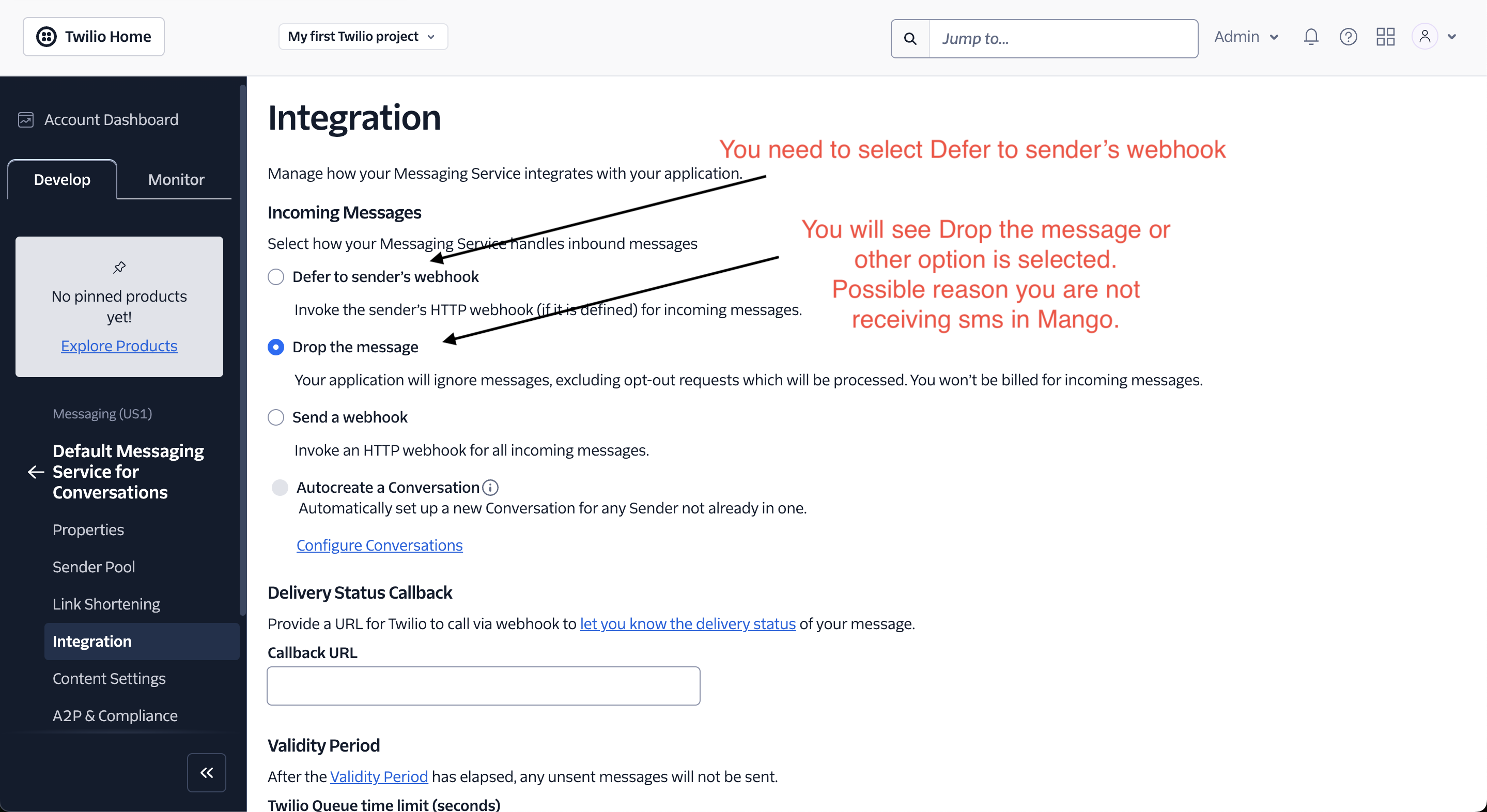
If users are not receiving incoming sms in Mango, you may need to modify your Messaging Service settings. This guide will walk you through changing the message handling setting from "Drop the message" to "Defer to sender's webhook".
Prerequisites
- Twilio account credentials
- Access to the phone number with incoming message issues
Steps to Update Settings
-
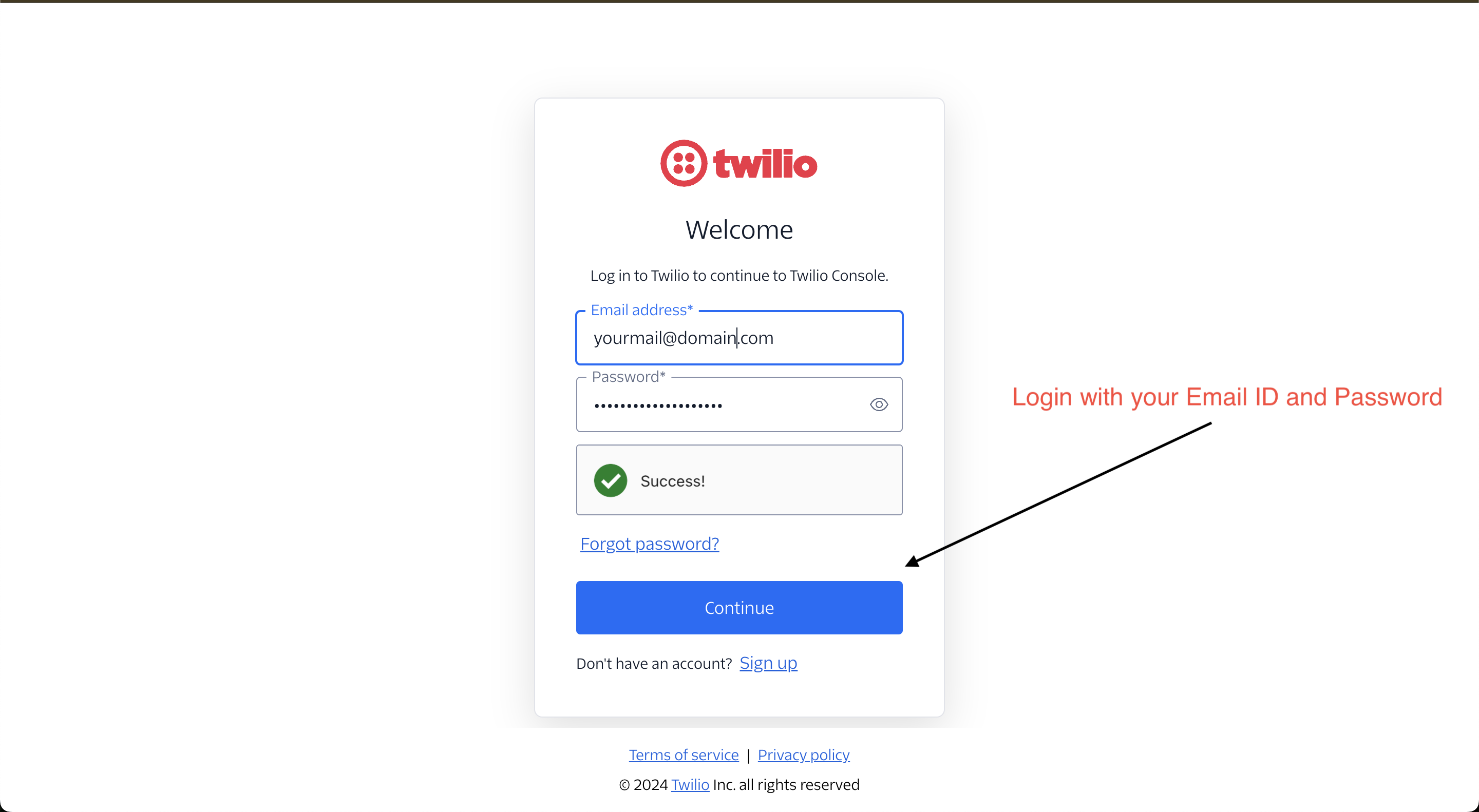
Access Your Account
- Navigate to Twilio's login page
- Sign in using your Email ID and Password
-
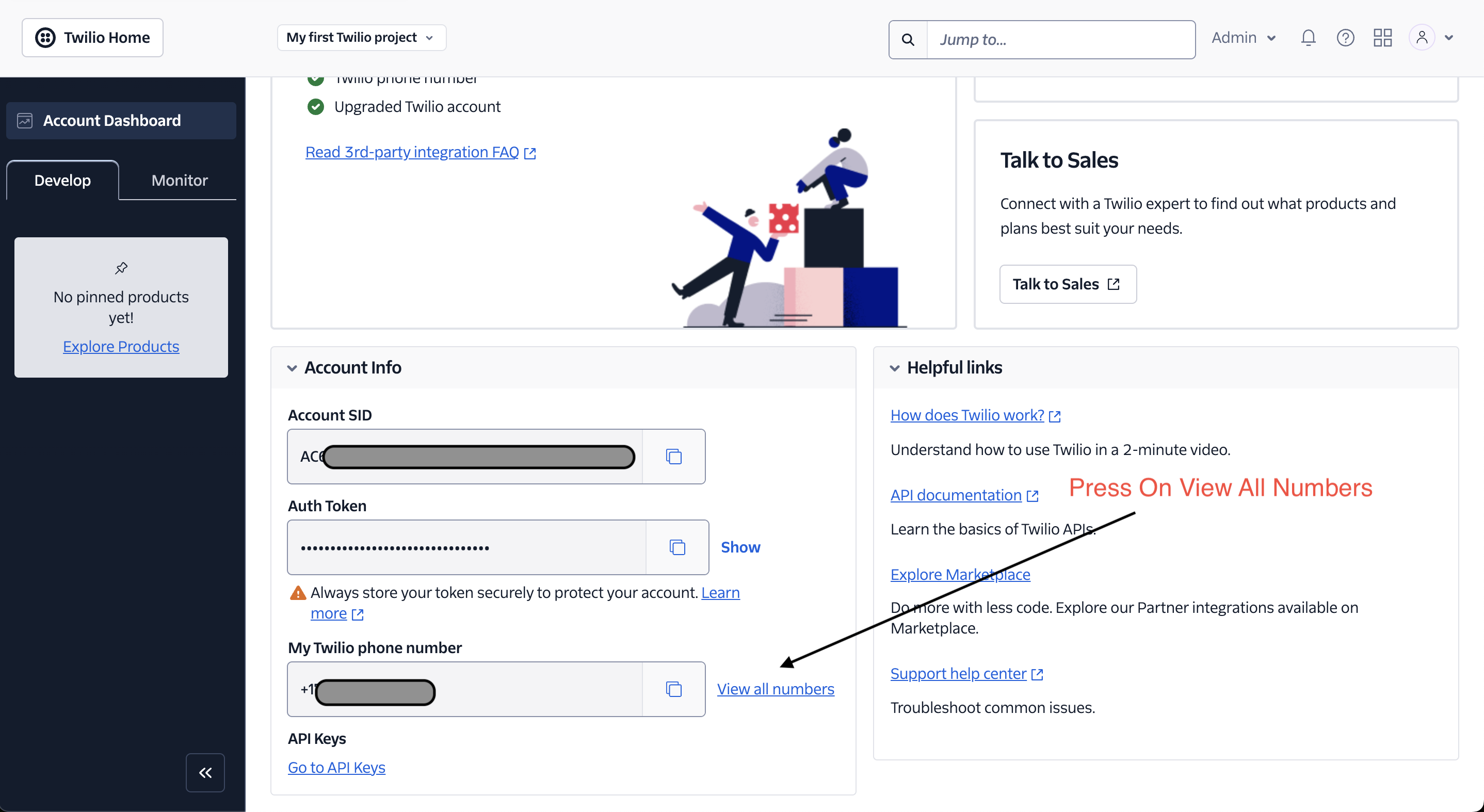
Locate Your Phone Numbers
- From the dashboard, click "View All Numbers"
-
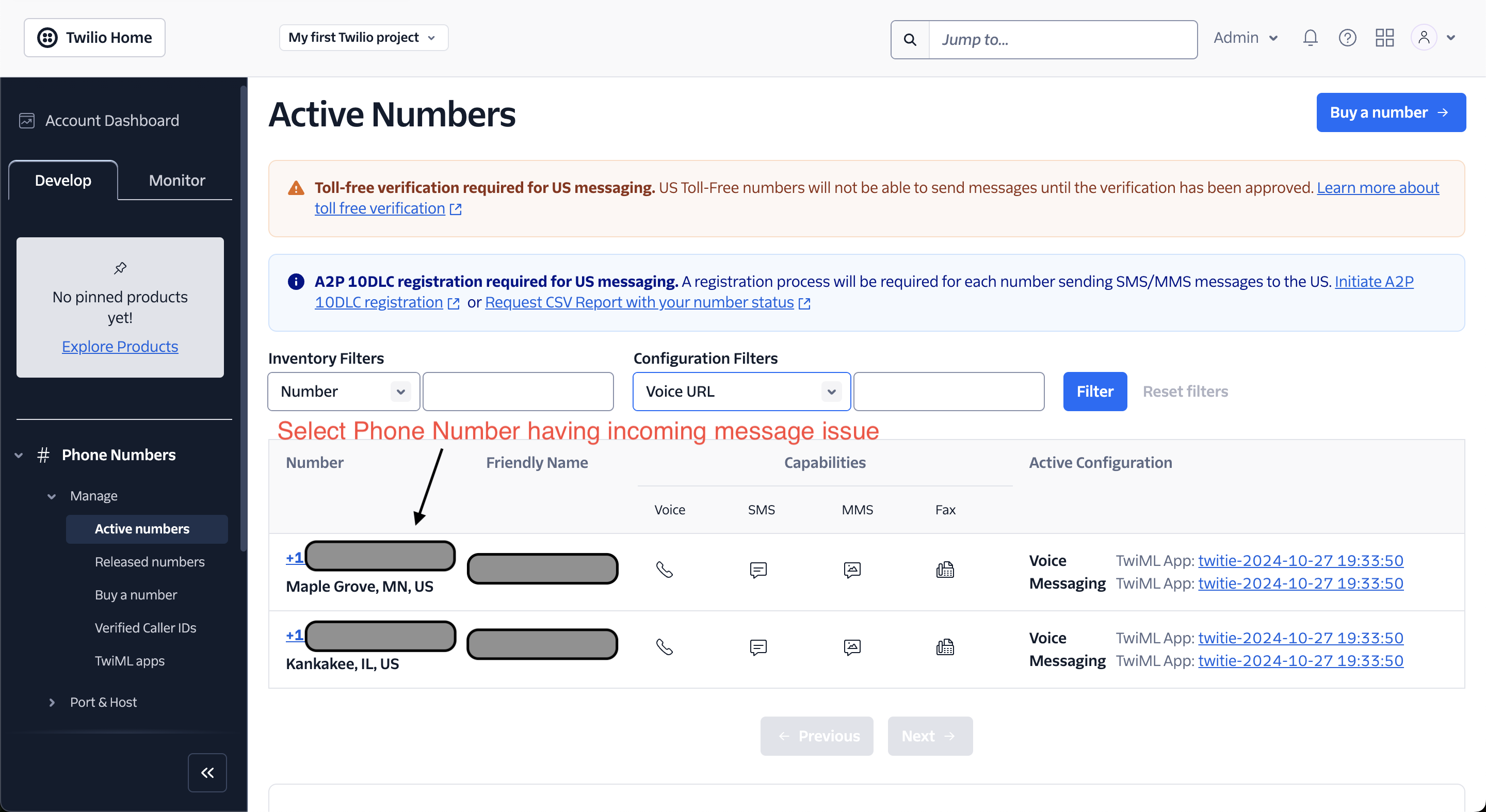
Select the Problem Number
- Find and click on the phone number experiencing incoming message issues
-
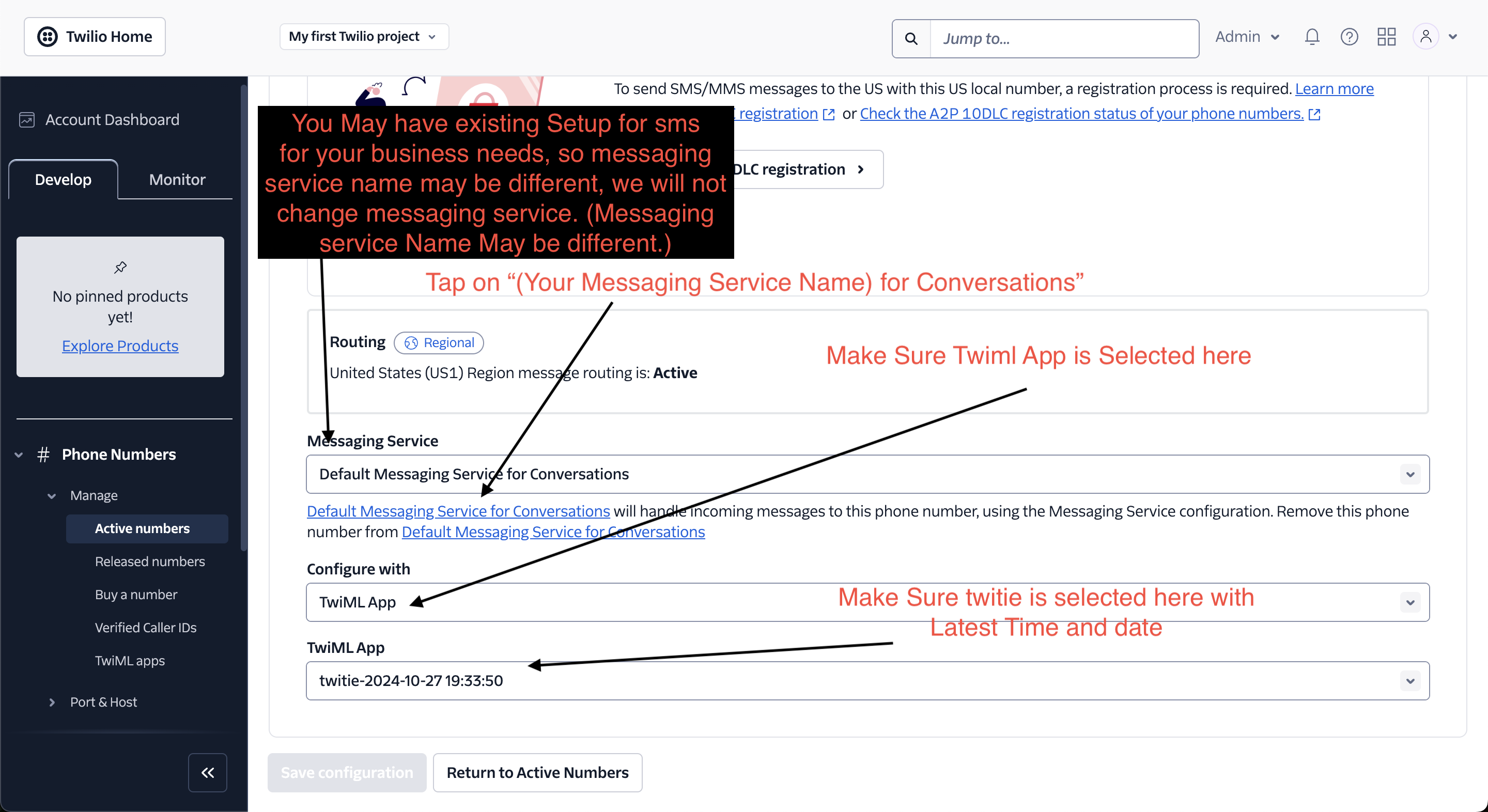
Access Messaging Service Settings
- Look for your existing Messaging Service name
- Note: Your messaging service name may differ from others
- Click on your Messaging Service name for Conversations
- Verify that:
- TwiML App is selected
- Twitie is selected with the latest timestamp
-
Update Message Handling
- Locate the message handling settings
- If "Drop the message" is selected, this is likely causing the reception issue
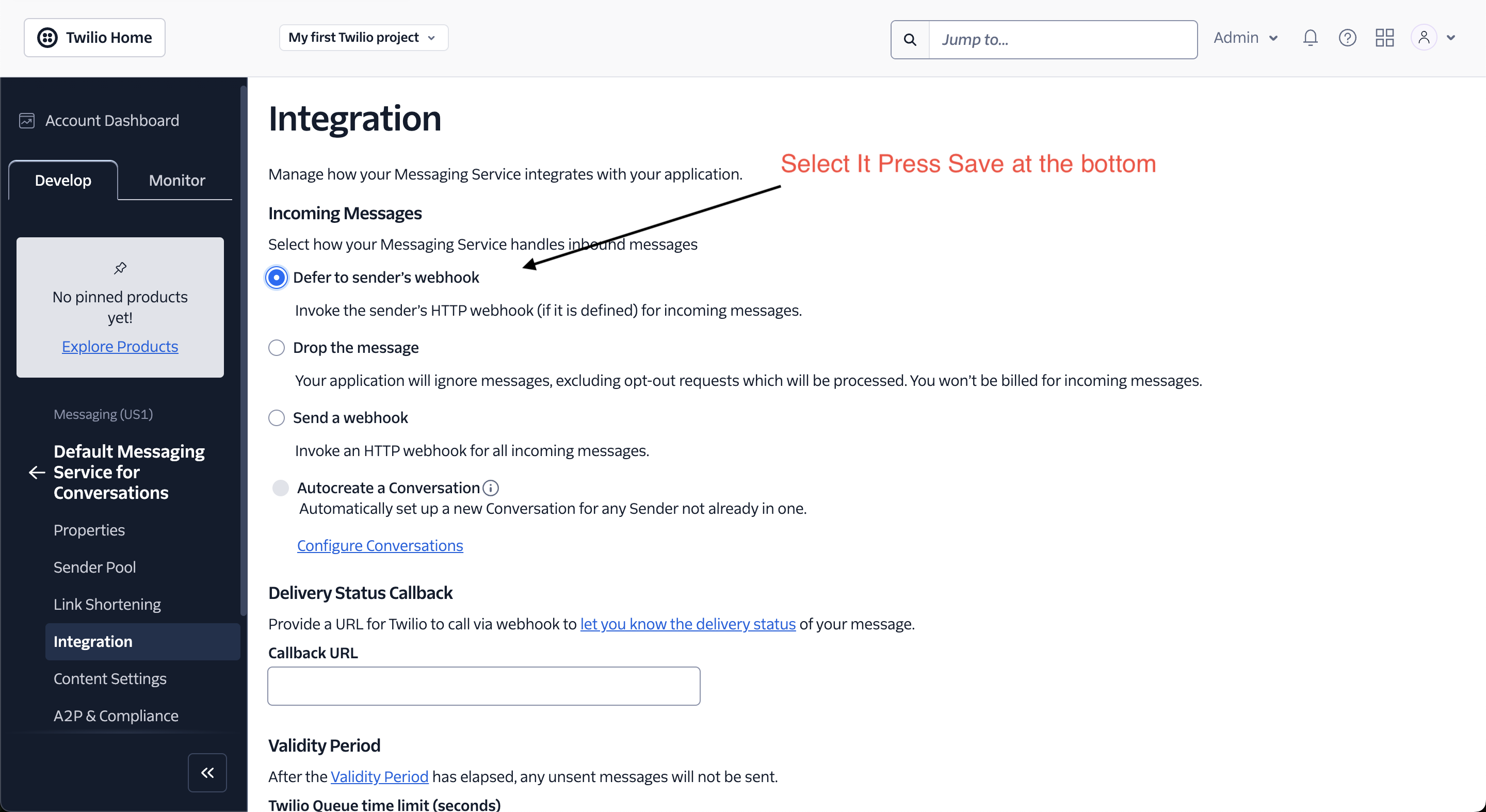
- Change the setting to "Defer to sender's webhook"
-
Save Changes
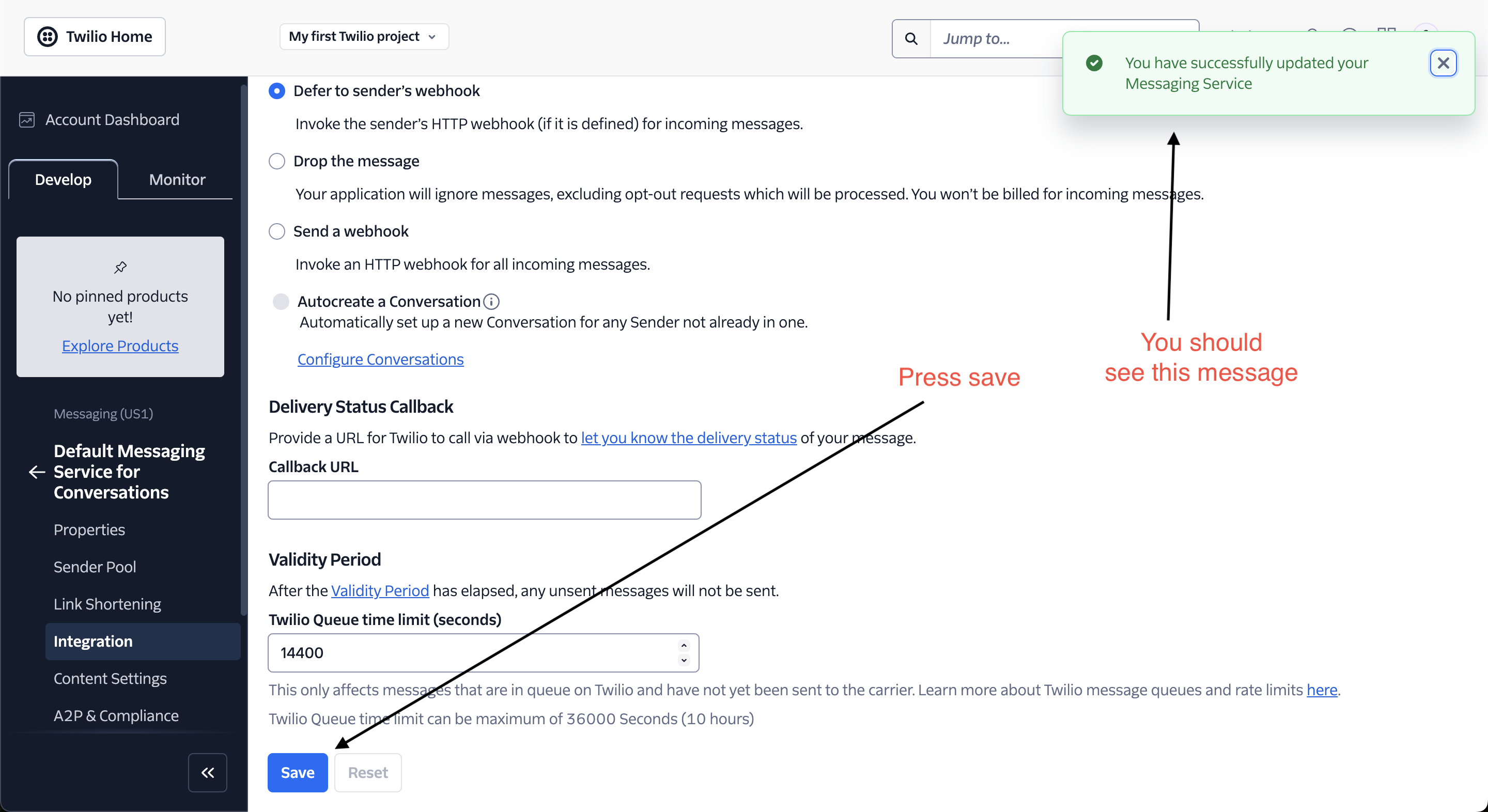
- Scroll to the bottom of the page
- Click the "Save" button
-
Verify Update
- Look for a success message confirming your changes
Important Notes
- Do not modify the existing Messaging Service name
- These changes will only affect message handling behavior
- Your existing business SMS setup will remain intact
After completing these steps, users should begin receiving messages properly through your application.