How to: Add Twilio Account in Mango to start making Calls and SMS
Welcome to our Calling and SMS App! To get started and leverage the full capabilities of our application, you'll need to integrate your active Twilio account. Follow the step-by-step guide below to seamlessly connect your Twilio account and begin making calls and sending texts directly from our app.
Prerequisites
Before you begin, ensure you have the following:
- Active Twilio Account: You must have a paid Twilio account. Free accounts are not supported.
- Twilio Account SID and Auth Token: These credentials are essential for authentication.
- At Least One Active Phone Number: Ensure your Twilio account has an active phone number for making calls and sending texts.
Step-by-Step Guide
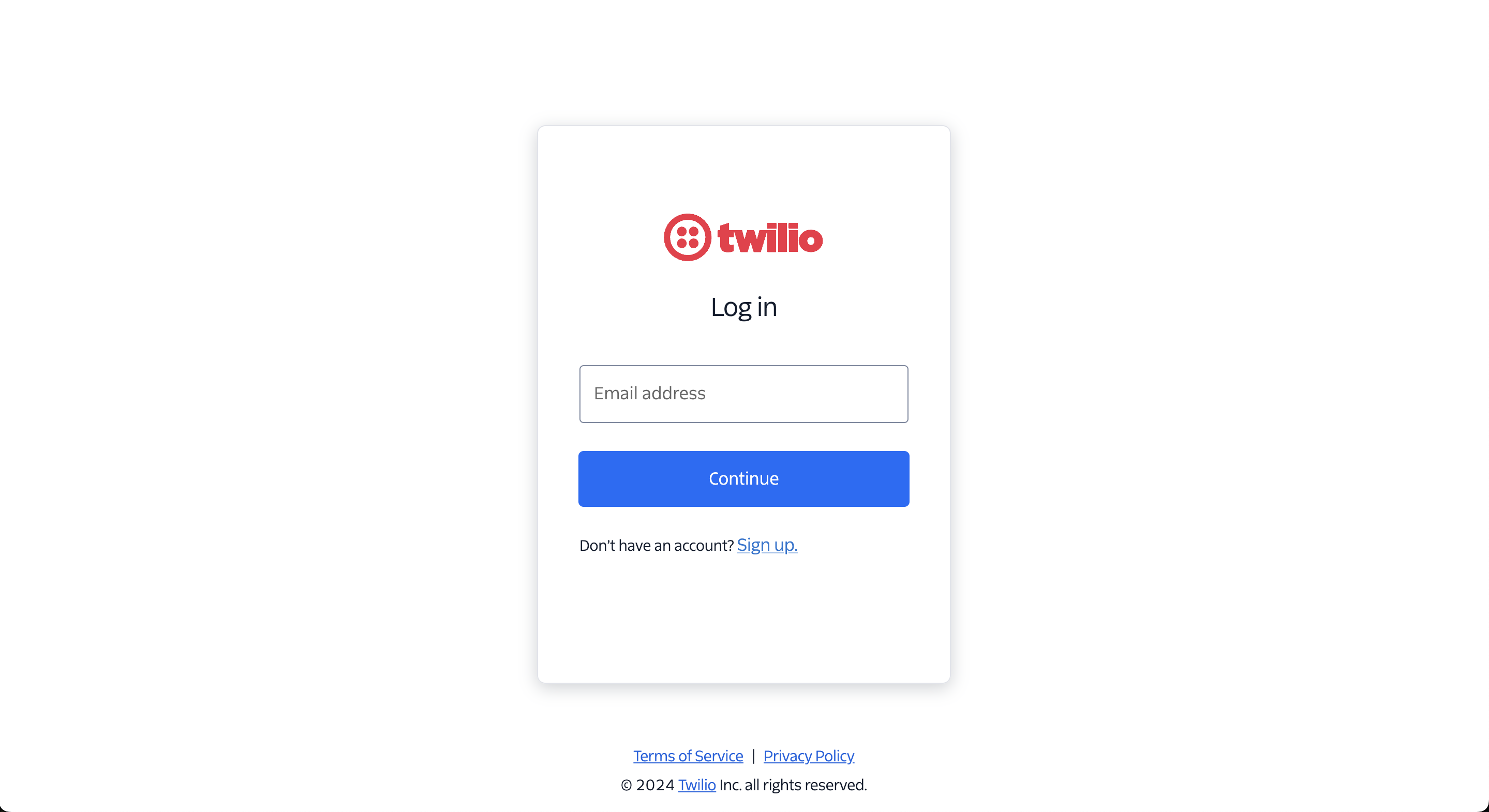
1. Log into Your Twilio Dashboard
- Navigate to the Twilio Login Page.
- Enter your credentials to access your Twilio dashboard.
2. Locate Your Account SID and Auth Token
-
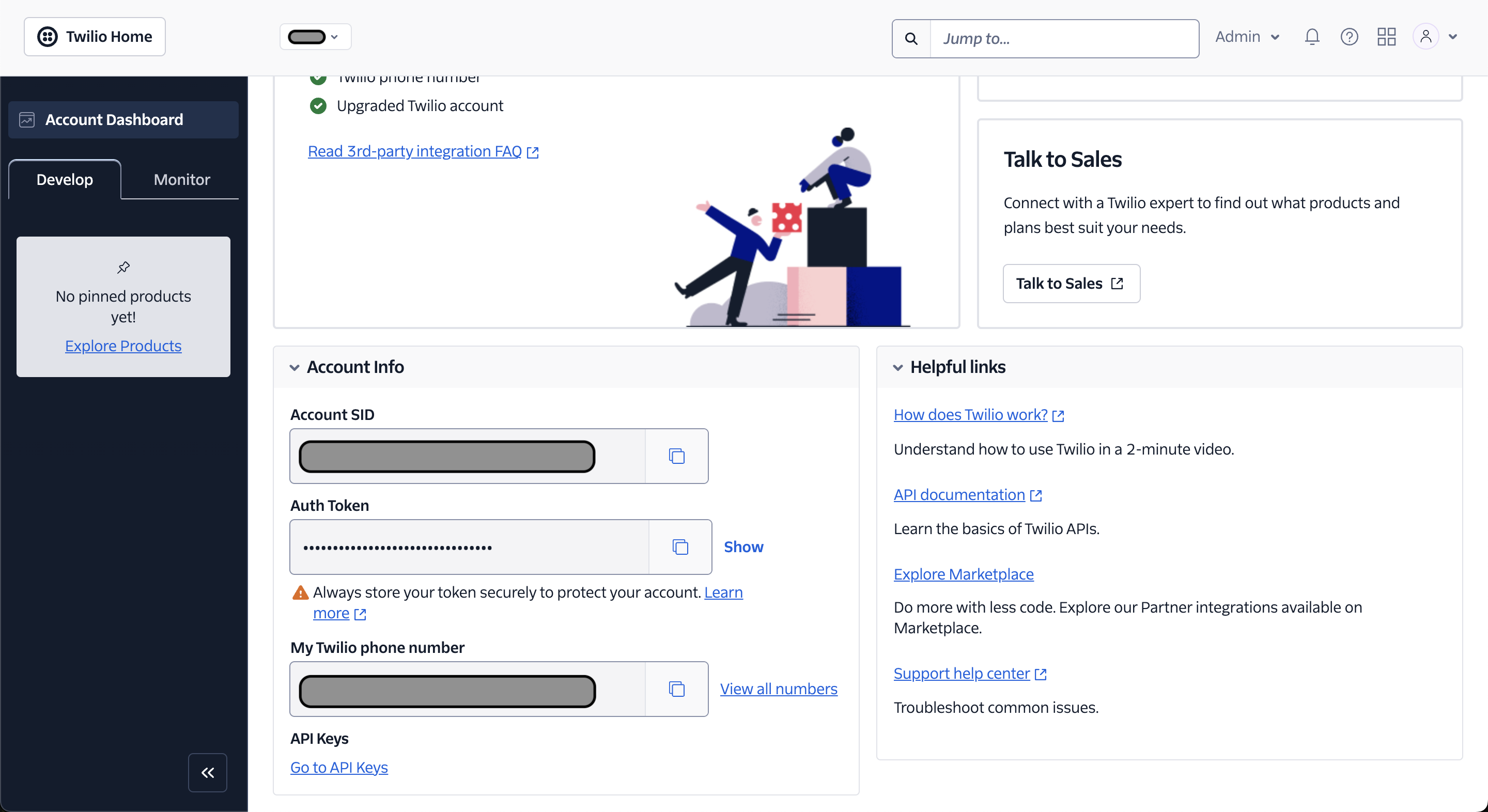
Once logged in, you'll find your Account SID and Auth Token on the Dashboard page.
-
Account SID: A unique identifier for your Twilio account.
-
Auth Token: A secret key used to authenticate requests.
Note: Keep your Auth Token confidential. Do not share it publicly or expose it in any way.
3. Copy Your Credentials
- Account SID: Click the copy icon next to your Account SID to copy it to your clipboard.
- Auth Token: Similarly, click the copy icon next to your Auth Token to copy it.
4. Add Credentials to the App
-
Open our Calling and SMS App.
-
Navigate to the Settings or Account Integration section.
-
Paste your Account SID and Auth Token into the respective fields provided.
  **Twilio Account SID:** [Your Account SID]
  **Twilio Auth Token:** [Your Auth Token]
5. Ensure You Have an Active Phone Number
-
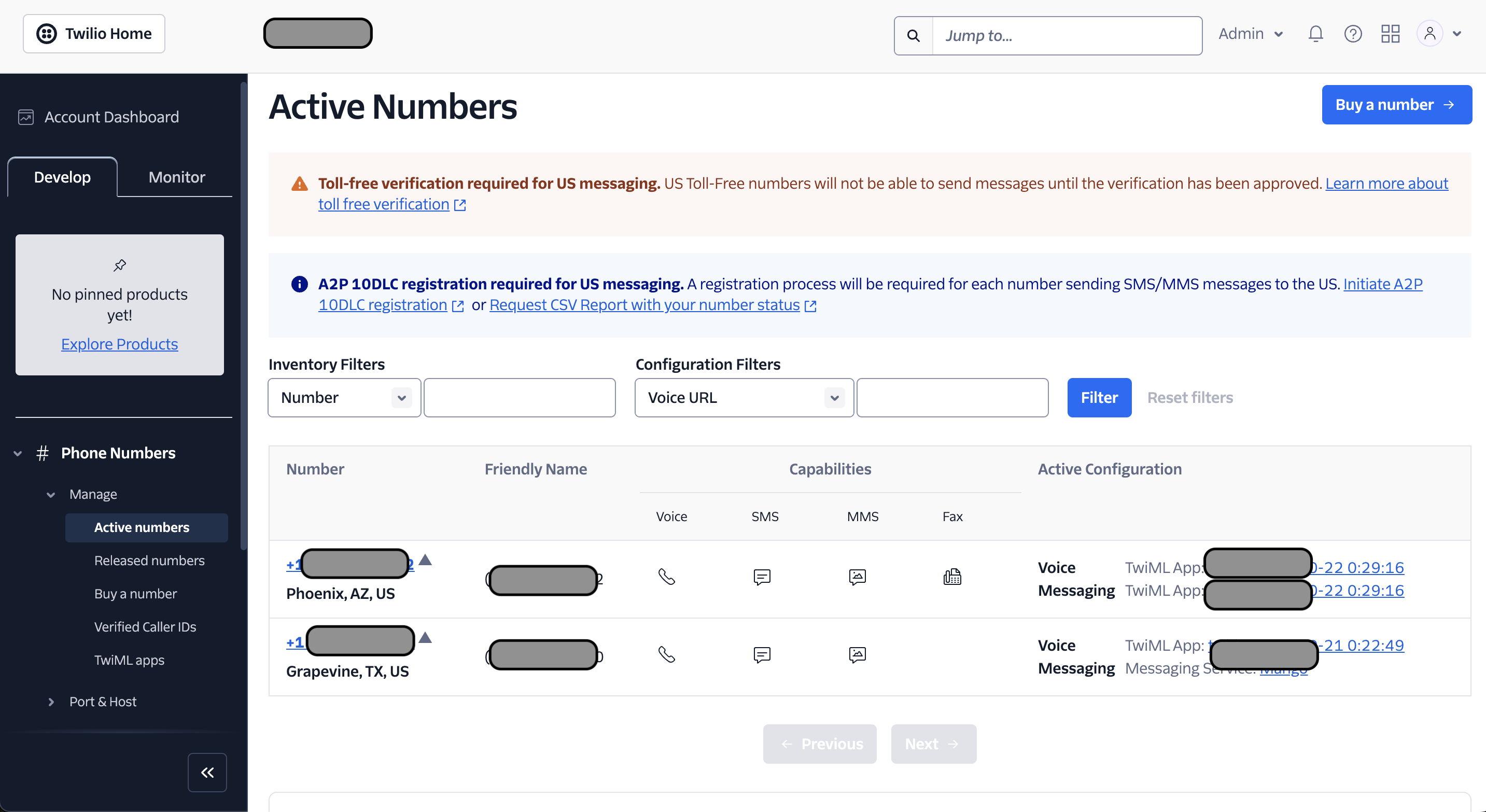
In your Twilio dashboard, go to the Phone Numbers section.
-
Verify that you have at least one active phone number. If not, you can purchase one by clicking on Buy a Number.
6. Save and Verify
- After entering your credentials and selecting a phone number, click Save or Verify in the app.
- The app will confirm the successful integration of your Twilio account.
Getting Started
Once your Twilio account is successfully added:
- Select Your Phone Number: Choose one of your active Twilio phone numbers within the app.
- Start Making Calls and Sending Texts: Utilize the app's interface to initiate calls and send SMS messages using your selected Twilio number.
Troubleshooting
- Invalid Credentials: Double-check that your Account SID and Auth Token are correctly entered.
- No Active Phone Numbers: Ensure you've added and verified at least one phone number in your Twilio account.
- Account Type: Confirm that you're using a paid Twilio account, as free accounts are not supported.
If you encounter any issues, please contact our Support Team for assistance.
Conclusion
Integrating your Twilio account with our Calling and SMS App unlocks powerful communication features, allowing you to manage calls and texts efficiently. Follow the steps above to set up your account, and start enhancing your communication workflow today!
Stay connected! Follow us on Twitter and Facebook for the latest updates.